
Second level page title key line
- Seperator
- Colour: #CFCFCF
- Style: Wide Line
Stand First
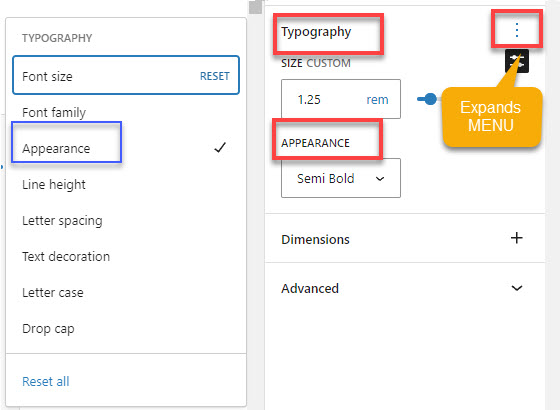
- Font size: 1.25 (Paragraph)
- Bold: Semi-bold
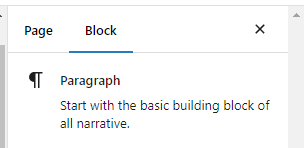
On the right hand side in the BLOCK menu (Not page menu)
Select the three dots next to TYPOGRAPHY.
And you will find SEMI BOLD under APPEARANCE.
Buttons (Red & Grey rollover)
General
- Left/Right Margin | TUTORIAL – Page Margins
- Line height Text: 2.4 | Headings & Links: 1.5 | TUTORIAL – Default Typography
- Background colour: white
- Font – Dark grey: #3A3A3A | TUTORIAL How to define custom colours
- Footer – Background colour – Medium Grey: #DCDCDC
Top level pages
- Splash image – Top level pages with images: Image height ???
- Splash image – Font sizes size of font: H1 , 3 rem
- Page introduction : H2
Hyperlinks
- Blue de France #2886E6 | TUTORIAL How to define custom colours
- Hover: Space Cadet #283044 (this is done using Additional CSS | TUTORIAL Custom CSS)
- Removing the blocks in the submenu (this is done using Additional CSS | TUTORIAL Custom CSS)
Button Colours
- Colour: Red #B20D30
- Hover: Dark Grey #CFCFCF (this is done using Additional CSS | TUTORIAL Custom CSS)
- Shadow
Text Box
- Outline – Medium Grey: #DCDCDC
- Background – Light Grey: #F6F6F6
Horizontal Line
- Colour – Medium Grey: #DCDCDC